Clients that run WooCommerce stores often have a common problem: the default checkout doesn’t meet their needs. As it comes, there are limited payment options, minimal customization, and it doesn’t allow them to take advantage of things like 1-click upsells.

There are plugins to improve WooCommerce. A lot of them are focused on adding one feature, but there are many that add a suite of related features. The best option out there is a system that replaces WooCommerce’s checkout entirely. There are a couple of options for that, and I’ll be covering my favorite one: Simplified Checkout.
Though it’s a plugin you can install for WordPress, you can choose to implement it with practically anything using a link-based checkout system. Simplified Checkout is a complete replacement for WooCommerce’s checkout system, operated on a hosted platform that handles security and PCI compliance for you.
Extra Payment and Shipping Providers
If you have a supported CRM, Simplified Checkout supports Stripe, Square, PayPal, Amazon Pay, Google Pay, Apple Pay, Klarna, and Zip as well as adding PSD2 and 3D Secure based direct payments. Tax support is integrated with your CRM, as well as currency conversion.
For shipping, you can choose flat-rate, weight-based, country, or a real-time shipping quote from carriers. Shipping options can be grouped and the cheapest carrier from a group will be shown to the customer for their choices.
Security and PCI Compliance
Since Simplified Checkout is a hosted platform, the responsibility for ensuring its security is not on you. All of your customers’ transactions are not handled directly on your WordPress site when using it, which means the security of transactions is much less affected by the security of your site or the plugins you run. They also guarantee PCI compliance.
Simplified Checkout improves security and helps stop fraud. It has built-in address validation, advanced bot detection, and the ability to filter customers by information like IP ranges, device type, or any portion of their payment info.
Page and Flow Builders
Simplified Checkout offers a drag-and-drop page builder, allowing you to customize every page at every step of your checkout process without having to code anything yourself. Start with a pre-built theme and customize it to your heart’s content with the Page Builder.
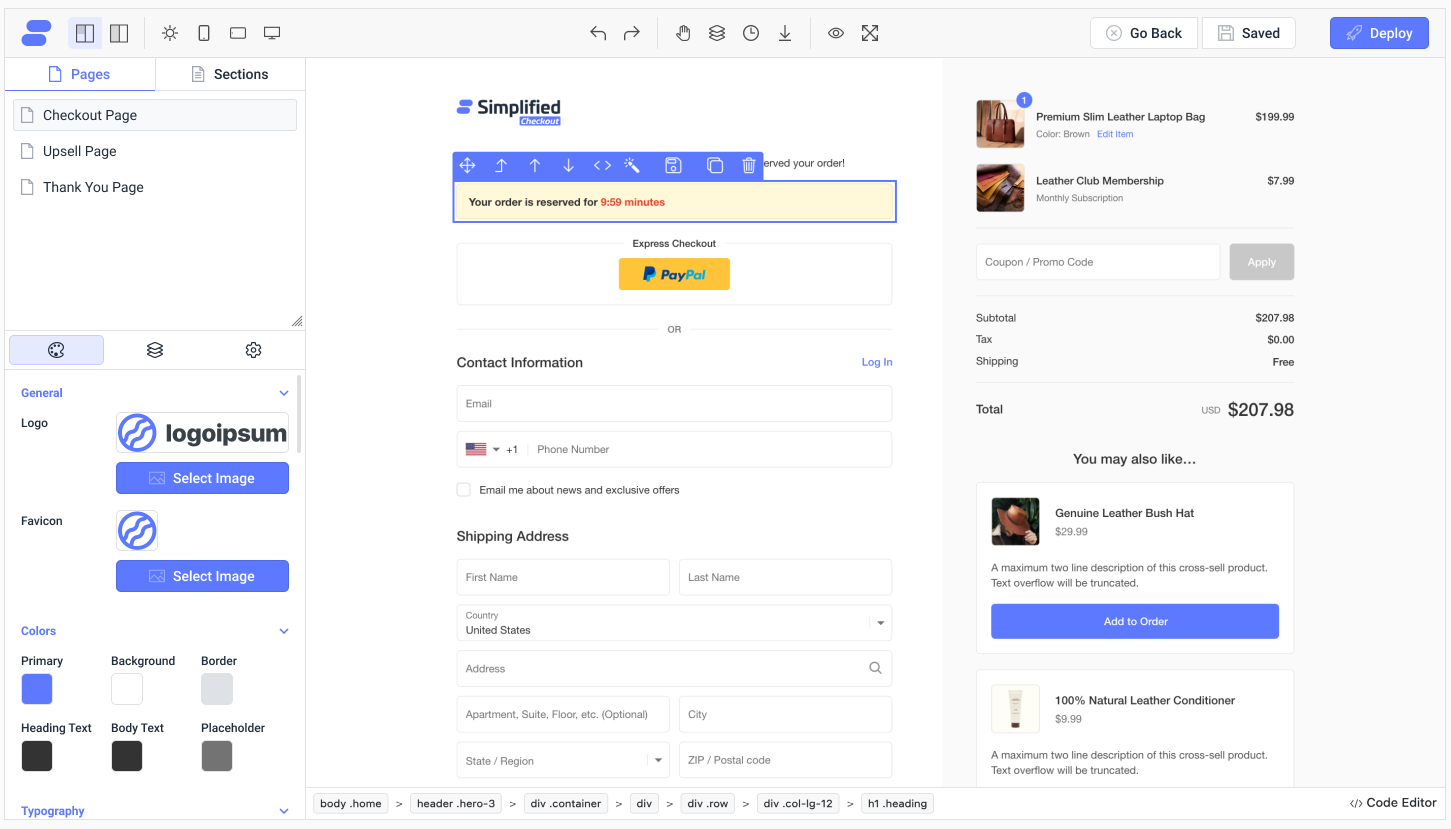
There are pre-configured code widgets to get any functionality you need on the page, as well as a version history system. The view can be customized for the type of device viewing it.
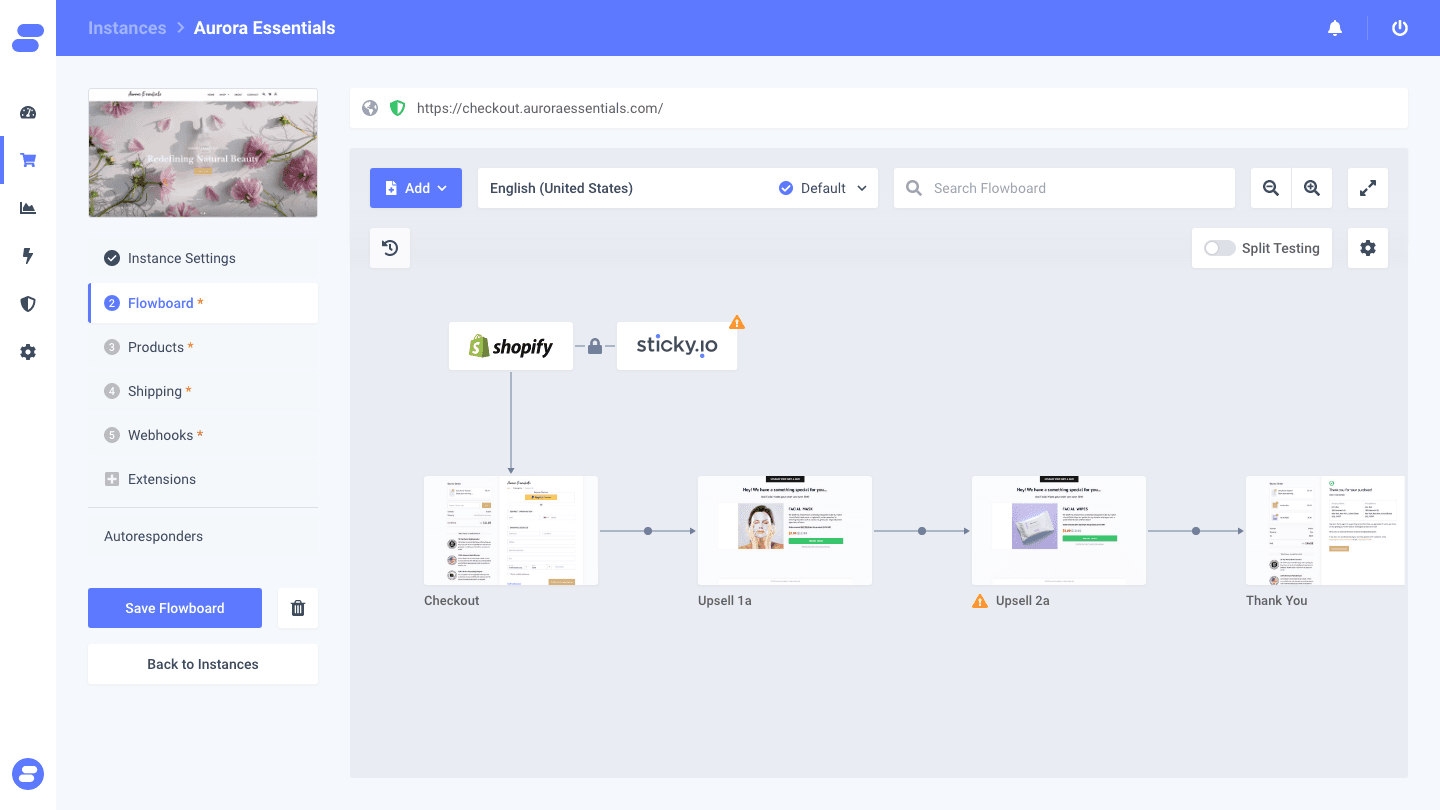
The flow builder allows you to modify the steps that customers take on their checkout journey. It has conditional logic to determine which branch a customer takes in your flow, useful for handling different types of customers or simply split testing changes.
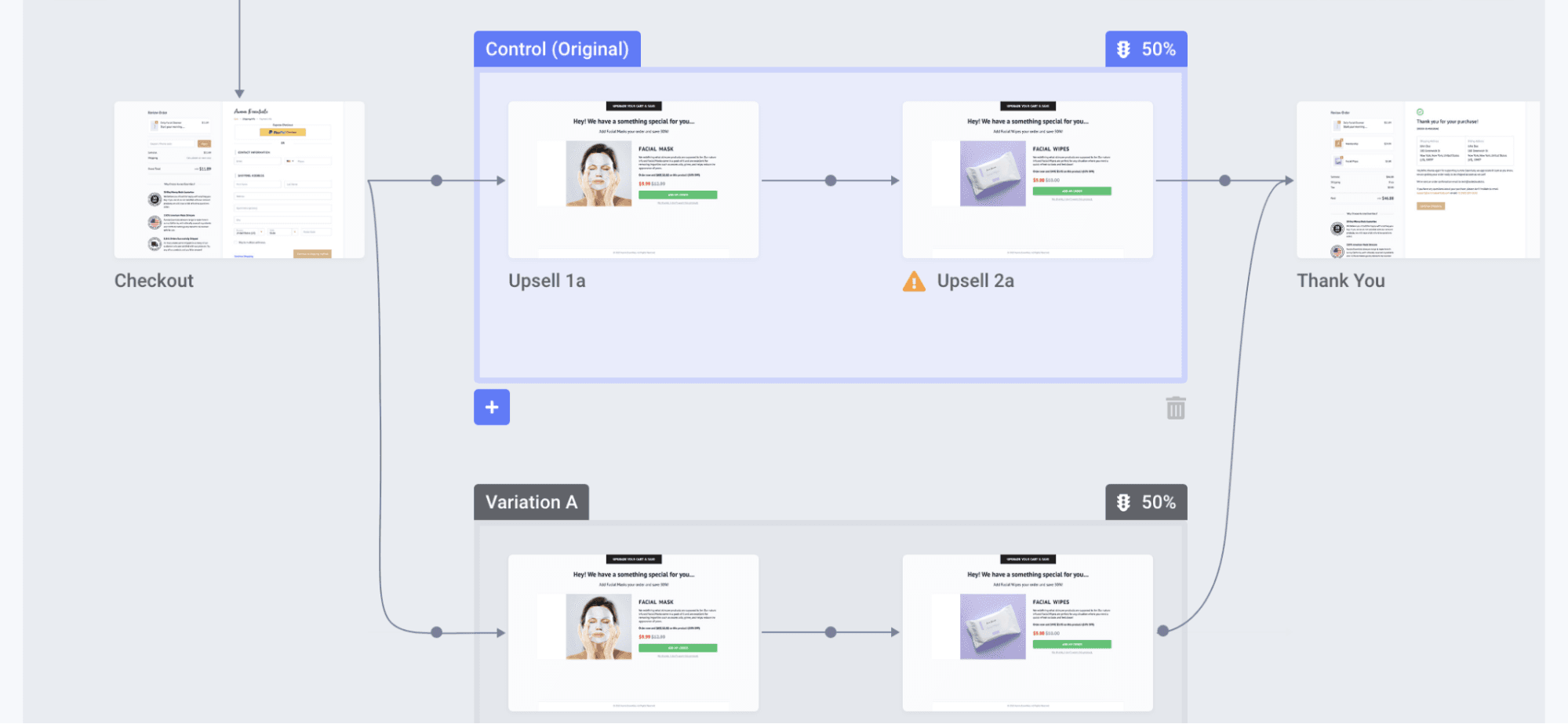
You can configure many triggers to land on branches, including a simple percentage, separated by their cart items, affiliate, and device telemetry all configurable with conditional logic.
Smart Upsells, Downsells, and Cross-Sells
Using the flow builder, you can customize how and where these are triggered, and the pages for these offers can be built with the page builder. These offers can be configured with their own conditional logic based on any variable or variables about the customer. Want to offer a cross-sell specifically to customers that came from a certain affiliate, used a promo code, and are on a mobile phone? You can do that.
Pixel Tracking
Simplified Checkout offers a complex pixel integration system. It offers direct integrations with many popular platforms, as well as custom integrations. With these integrations, you can configure powerful custom scripting and trigger actions and have it all tracked in the dashboard.
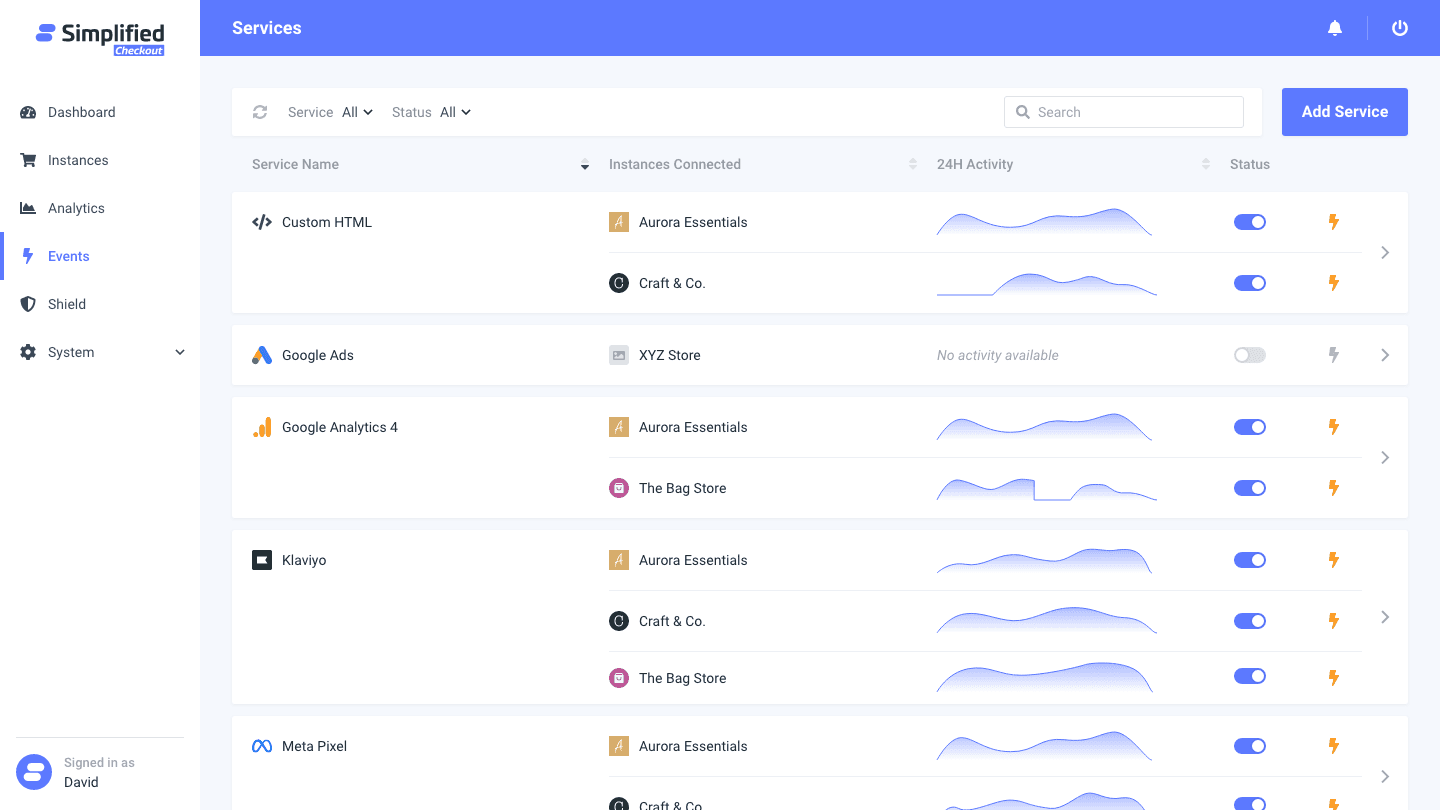
I’ve covered a few of the best features from the Simplified Checkout WordPress plugin, but the best way to get familiar with it is to simply try it for free or reach out to the BeSimplified team about a demo and integration with your store.